Yes, software updates can be made on the Kobold VR200.
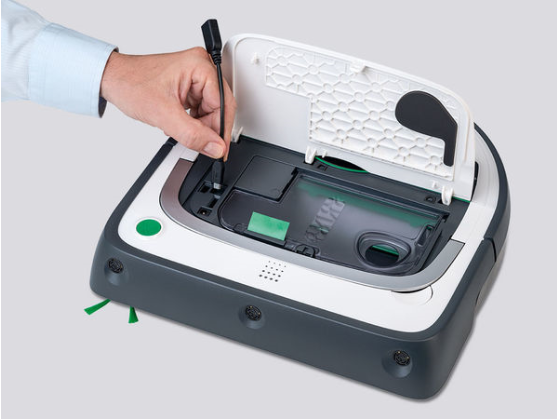
IT'S AS EASY AS THAT
1. Before you perform the software update, switch off the VR200 via the menu and restart it.
2. Take an empty USB stick with you.
3. Download the current software version and save/unzip this file on your computer
4. Save the RobotData file folder on your USB stick.
5. There is a USB port under the cover of your suction robot. Remove the rubber protector there.
6. Connect the Robot to the USB stick with the USB adapter.
7. Select "Settings" in the main menu of your Robot.
8. Then select the item "Software Update". The Robot will now carry out the update and then switch itself on again.
Comments
0 comments
Article is closed for comments.